
Download CWShredder – remove CoolWebSearch, browser hijacker removal, fix search bar, portable tool, no installation
Overview
CWShredder is a specialized utility designed to address a persistent issue in web browsing: the intrusion of CoolWebSearch browser hijackers. These malicious components often install themselves without user consent, replacing default search engines with unwanted toolbars and redirecting queries to unfamiliar sites. The tool provides a direct solution to restore control over browser settings and eliminate these intrusive elements.
Target users include individuals experiencing unexpected search redirects, altered homepages, or a cluttered browsing interface due to hijacking software. Although the developer's background is not publicly disclosed, CWShredder has maintained a focused purpose since its release in 2005. Its primary function is to deliver a streamlined, one-step removal process for a specific threat, making it a niche but valuable resource within the cybersecurity and system maintenance ecosystem.
Real-world use cases involve users who encounter persistent search bars after visiting compromised websites or downloading bundled software. By addressing this narrow yet disruptive problem, CWShredder offers a targeted remedy for a common digital nuisance, emphasizing simplicity and effectiveness over broad functionality.
Key Features & Functionality
CWShredder’s design centers on efficiency and accessibility, particularly for users without technical expertise. The tool operates as a portable application, meaning it requires no installation process. Users can download the executable and run it immediately, eliminating the need for administrative privileges or system modifications.
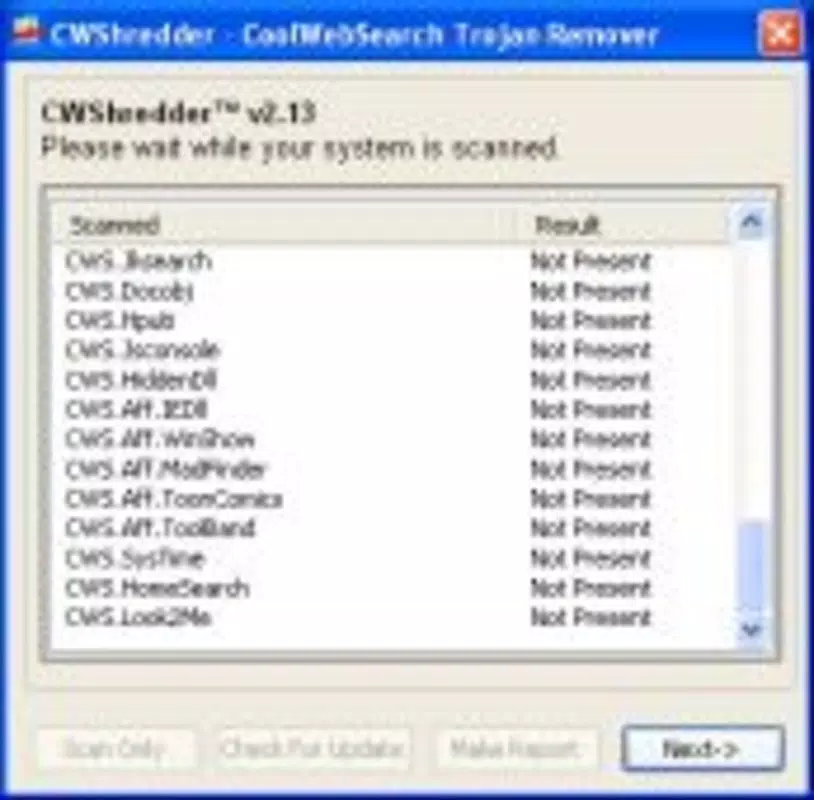
This feature is especially beneficial for environments with restricted software installation policies. The core functionality revolves around a single 'Fix' button: upon activation, the tool scans the system for traces of CoolWebSearch variants, identifies infected registry entries, browser extensions, and startup components, and removes them in a single operation. This process typically completes within seconds, restoring default search settings and browser behavior.
The interface is intentionally minimal, featuring clear, unambiguous options that guide users through the cleanup without overwhelming them. For example, a user encountering a browser that automatically redirects searches to unfamiliar sites can resolve the issue by downloading CWShredder, running it, and clicking 'Fix'—a process that takes less than a minute. The tool’s comprehensive removal capability ensures that residual files and registry keys are purged, reducing the risk of re-infection.
This focused approach makes it a reliable utility for addressing a well-defined problem.
Real-World Application Examples
- A home user discovers their browser homepage has changed without permission after downloading a free software bundle.
- An office employee experiences slow browsing and frequent redirects while using a shared computer, suspecting malware.
- A parent finds their child’s device has been compromised by unwanted search bars that display advertisements.
Interface, UX & Performance
CWShredder presents a minimalist interface prioritizing clarity and ease of use. The layout consists of a single window with essential controls—primarily a prominent 'Fix' button—accompanied by brief, straightforward instructions. This design ensures that users of all technical levels can navigate the tool without confusion.
Navigation is linear and intuitive: launch the application, review the brief on-screen guidance, and initiate the fix. The tool’s performance is optimized for speed, with the entire scanning and removal process completing in under 10 seconds on standard hardware. Although the developer did not list formal performance metrics, the tool's design suggests minimal resource consumption, making it suitable for older or low-spec devices.
Responsiveness is consistent during execution, with no reported lag or freezing. Stability appears robust based on its long-standing availability, though no official updates have been released since 2005. The lack of installation also reduces the risk of system conflicts or residual files post-removal.
Users can expect a seamless experience focused solely on the core task, with no unnecessary pop-ups or background processes.
Platform Compatibility & Technical Requirements
The provided information does not specify the platform, operating system, version requirements, or file size for CWShredder. Compatibility details were not disclosed by the developer. As such, the exact system requirements remain unknown.
The developer did not specify minimum OS versions or hardware specifications. The file size is also not listed. Without this information, users cannot verify if the tool is compatible with modern operating systems or specific device categories.
The lack of formal compatibility documentation may pose challenges for users attempting to run the application on current devices. Although CWShredder has been available since 2005, its ability to function on contemporary platforms cannot be confirmed based on the provided data. Users are advised to exercise caution when running legacy software and ensure their system environment supports the application.
Pros and Cons
Pros
- Portable design requires no installation, enabling immediate use.
- Single-click operation simplifies the removal process for non-technical users.
- Specifically targets and removes multiple variants of CoolWebSearch hijackers.
- Minimal system resource usage and fast execution time.
- Designed with a user-friendly interface focused on clarity and ease of navigation.
Cons
- Release date of 2005 suggests potential compatibility issues with modern operating systems.
- Developer did not provide technical specifications, including OS requirements or file size.
- No recent updates or official support available since its initial release.
- Functionality is limited to a single threat (CoolWebSearch), offering no broader system protection.
- Lack of detailed documentation or user guides beyond basic on-screen instructions.
FAQ
Is CWShredder safe to download and use?
Yes, CWShredder is a legitimate utility designed to remove malicious browser hijackers. However, as a legacy tool released in 2005, users should exercise caution and run it in a secure environment. It is recommended to scan the file with an antivirus before execution.
Does CWShredder require an internet connection?
While the tool itself does not require an active internet connection to run, an internet connection may be needed to download the application. Once launched, it operates offline to scan and remove hijacker components.
Can CWShredder be used on Windows 10 or Windows 11?
The developer did not specify compatibility with modern Windows versions. While some users report success on older systems, functionality on Windows 10 or 11 cannot be guaranteed due to the tool’s age and lack of official updates.
Is CWShredder free to use?
The provided information does not include pricing details. Based on its description as a portable tool for removing malware, it is likely offered at no cost. However, the developer did not confirm this.
How often should I update CWShredder?
As the tool was last released in 2005 and no updates have been issued since, there is no official update mechanism. Users should be aware that relying on outdated software may pose security risks, especially when addressing modern threats.
Final Thoughts + CTA
CWShredder remains a noteworthy example of a focused, efficient tool designed to solve a specific, persistent problem: the removal of CoolWebSearch browser hijackers. Its no-installation, one-click functionality delivers on its promise of simplicity and speed, making it accessible to users who may lack technical expertise. While its age raises compatibility concerns, the tool’s core purpose—restoring control over browser settings—remains relevant for those encountering legacy hijacking software.
For individuals facing unwanted search bars or redirected browsing, CWShredder offers a direct, low-effort solution. Its minimalist design and rapid execution underscore a philosophy of utility over complexity. Despite the absence of modern support or updates, it continues to serve as a functional resource for a niche issue.
For anyone dealing with CoolWebSearch intrusions, this tool represents a proven, straightforward remedy. Download CWShredder now.


